If you’re a designer glued to your screen for 8+ hours a day, you’re not alone. While designing logos, tweaking typefaces, or laying out mockups is creatively fulfilling, it can also take a toll on your body. Thankfully, there are plenty of health tips for designers that can help you stay energized, pain-free, and productive.
Table of Contents
- 1. Why Designers Are Prone to Health Problems
- 2. Posture Tips for Freelancers and Designers
- ✅ Quick Wins for Better Posture:
- 3. How to Avoid Back Pain at Your Desk
- Try These Techniques:
- 4. Essential Desk Exercises for Designers
- Desk-Friendly Exercises:
- 5. Ergonomic Workspace Setup for Designers
- 6. Protecting Your Eyes and Wrists
- Eye Health Tips:
- Wrist Protection:
- 7. Mental Health Tips for Creatives
- Keep Your Mind Sharp:
- 8. Schedule & Routine Ideas
- 9. Boost Your Workspace Aesthetic with Fonts
- 10. Final Thoughts: Small Habits, Big Impact
- Related Reads:
In this post, we’ll cover posture techniques, movement strategies, ergonomic must-haves, and even mental health practices tailored for desk-bound creatives.
1. Why Designers Are Prone to Health Problems

Sitting for extended hours, intense focus, and repetitive hand movements can lead to:
- Chronic back and neck pain
- Eye strain and fatigue
- Poor circulation
- Carpal tunnel syndrome
- Mental burnout
These issues don’t just affect your body—they can reduce your creative output and concentration over time.
2. Posture Tips for Freelancers and Designers
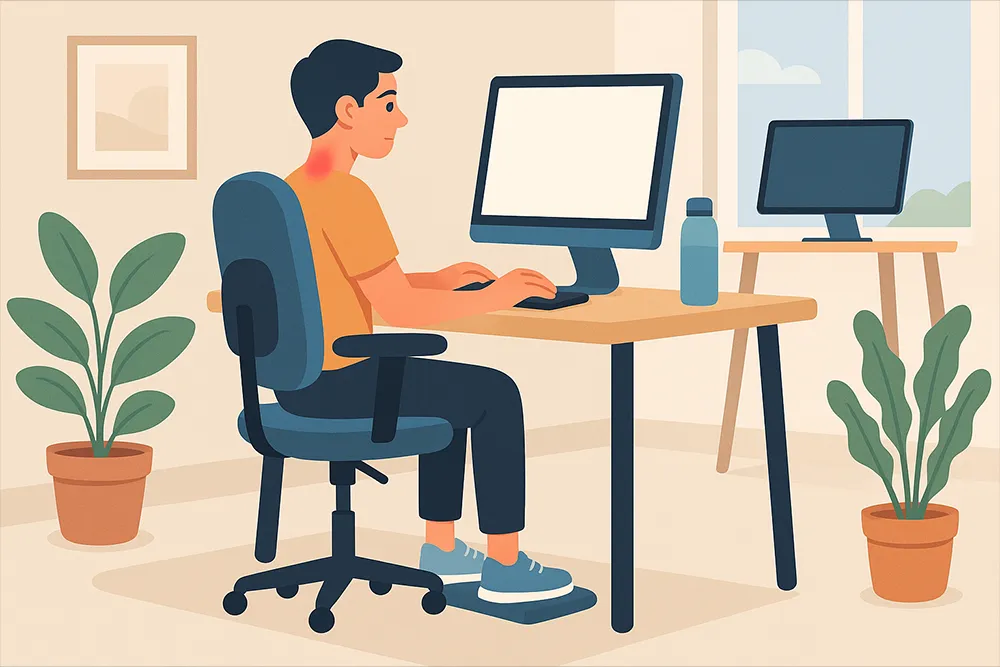
Maintaining good posture is critical. It’s not about sitting rigidly but aligning your body to reduce strain.
✅ Quick Wins for Better Posture:
- Keep feet flat on the floor or a footrest.
- Align your screen at eye level to avoid neck strain.
- Support your lower back with an ergonomic chair or cushion.
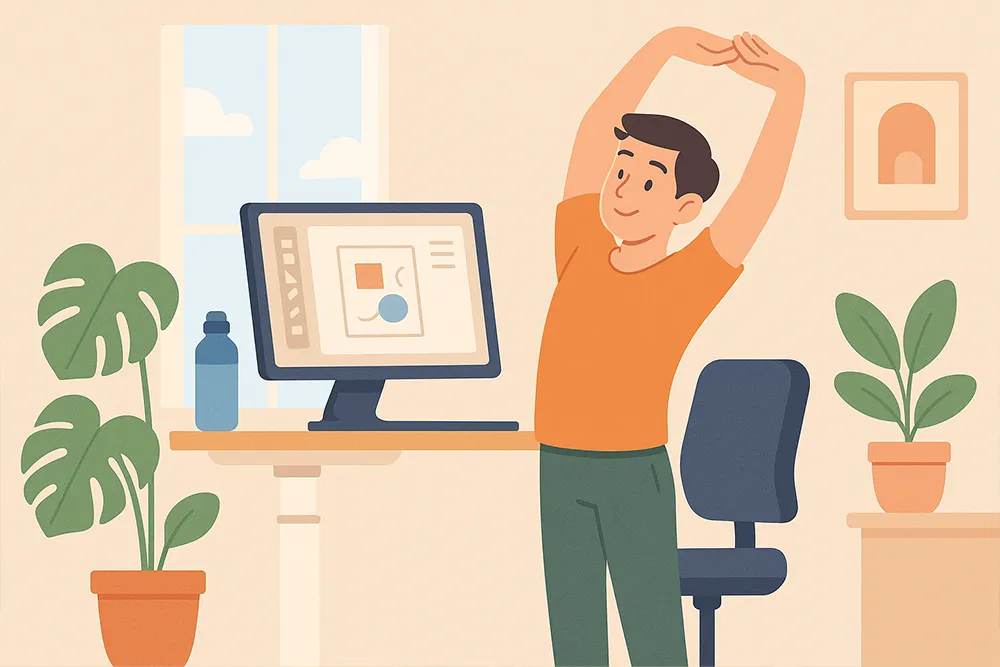
- Use a standing desk for part of your workday.
💡 Pro Tip: Apply the “90-90-90 rule” — knees, hips, and elbows at 90° angles.
3. How to Avoid Back Pain at Your Desk
Avoiding back pain is easier than treating it. Prevention is key.
Try These Techniques:
- Alternate between sitting and standing every 30–60 minutes.
- Stretch your hip flexors and hamstrings daily.
- Incorporate lumbar support to maintain your spine’s natural curve.
- Use a sit-stand timer app like Stand Up! The Work Break Timer.
“Motion is lotion” — staying static for too long is the real enemy.
4. Essential Desk Exercises for Designers
Incorporating micro-movements keeps muscles engaged and blood flowing.
Desk-Friendly Exercises:
- Neck rolls and shoulder shrugs
- Seated spinal twists
- Wrist stretches every hour
- Standing calf raises during design breaks
Just 2–5 minutes every hour can dramatically reduce stiffness. For more guided desk workouts, check out Harvard Health’s office stretch guide — a reliable resource backed by medical experts
5. Ergonomic Workspace Setup for Designers
You don’t need a $3,000 office setup to be ergonomic. Here’s what you do need:
| Tool | Recommendation |
|---|---|
| Chair | Adjustable with lumbar support |
| Desk | Standing desk or adjustable riser |
| Keyboard & Mouse | Ergonomic design, wrist rests |
| Monitor | At eye level, 20–30 inches from your face |
🖥️ External monitors are especially important if you work on a laptop. Consider a monitor mount for added adjustability.
6. Protecting Your Eyes and Wrists
Designers stare at screens all day and use precision tools like styluses and mice. That takes a toll.
Eye Health Tips:
- Use the 20-20-20 Rule: Every 20 minutes, look at something 20 feet away for 20 seconds.
- Enable dark mode or install apps like f.lux.
- Adjust screen brightness to match ambient light.
Wrist Protection:
- Use keyboard shortcuts to minimize repetitive clicks.
- Alternate between mouse and trackpad.
- Consider a vertical mouse or graphic tablet for design work.
7. Mental Health Tips for Creatives
Health isn’t just physical. Mental fatigue leads to creative block, procrastination, and burnout.
Keep Your Mind Sharp:
- Take real breaks (walks > scrolling social).
- Hydrate frequently – keep a water bottle at your desk.
- Practice mindfulness using trusted mental wellness apps like Headspace or Calm, both designed to reduce stress and boost focus
- Set work boundaries and protect your off hours.
8. Schedule & Routine Ideas
Creating a routine helps you naturally build healthy habits.
Sample Healthy Designer Day:
| Time | Task |
|---|---|
| 8:30 AM | 10-min stretching + coffee |
| 9:00 AM | Deep work (focus zone) |
| 10:30 AM | Stand + quick walk |
| 12:00 PM | Healthy lunch break away from screen |
| 1:00 PM | Client meetings or emails |
| 3:00 PM | Snack + desk stretches |
| 5:30 PM | Wind down + log off routine |
9. Boost Your Workspace Aesthetic with Fonts
A well-designed space boosts motivation. Enhance your work area with bold typography that reflects your creative spirit.
Here are some top font picks from Figuree Studio to upgrade your environment:
- Komica Brought: A playful display font perfect for bold wall quotes or screensavers.
- Ignazio: Clean sans-serif ideal for UI mockups and clean aesthetic notes.
- Roadpunks: A script font with a personal touch—great for handwritten planners or mood boards.
These fonts don’t just elevate your projects—they uplift your space and your mindset.
10. Final Thoughts: Small Habits, Big Impact
Being a designer shouldn’t mean sacrificing your health. By following these health tips for designers, you can avoid back pain, improve posture, and stay mentally sharp.
Start small: adjust your chair, stretch today, or try a standing session. Your future creative self will thank you.