
Technology in Education is changing how teachers teach, how students study, and how schools manage learning. But good learning technology is not about using every new app that appears.
Table of Contents
- Why Technology in Education Matters Today
- 1. Technology in Education Tool: Google Classroom and Gemini
- Game-Changing AI Tools No One Told Designers About (Until Now)
- 2. Technology in Education Tool: Khanmigo
- 3. Technology in Education Tool: Canva for Education
- 4. Technology in Education Tool: Moodle LMS
- Trendy Illustrator Text Effects to Make Your Work Stand Out
- 5. Technology in Education Tool: Quizlet
- 6. Technology in Education Tool: Microsoft 365 and Teams
- 7. Technology in Education Tool: NotebookLM and AI Study Tools
- How to Choose the Right Technology in Education Tools
- How to Master Typeface Ideation Using AI Ethically and Creatively
- From Our Desk: Design Also Shapes Learning
- Fonts to Explore from Figuree Studio
- Neutora – Bold Futuristic Font
- Kids Zone – Layered Playful Font
- Kidos Marker – Playful Display Font
- Glops – Retro Brush Font
- Hyper Squad – Freestyle Brush Font
- Final Thoughts on Technology in Education
It is about choosing tools that make learning clearer.
A strong education tool should save time, support different learning styles, and help students understand ideas faster. It should also keep teachers in control. Technology can support the classroom, but it should not replace the human side of teaching.
Today, Technology in Education covers many things. There are AI tutors, learning management systems, digital whiteboards, visual design tools, flashcard apps, and collaborative platforms. Some tools help with lesson planning. Some help students review. Some make classroom materials easier to organize.
The challenge is knowing which tools actually help.
Below are practical Technology in Education tools for modern learning, plus simple ways to use them without making the classroom feel overloaded.
Why Technology in Education Matters Today
Technology in Education matters because learning is no longer limited to one room, one textbook, or one teaching style.
Students now learn through video, slides, quizzes, audio, AI chat, collaborative documents, and visual projects. Teachers also need tools that help them prepare faster, manage assignments, and personalize support.
But modern education still needs balance.
AI and digital tools should support thinking, not replace it. Schools can use trusted guidance from UNESCO’s AI in education resources when building ethical, useful, and human-centered learning systems. UNESCO frames AI in education around learning, teaching, assessment, and ethical use, which makes it a helpful reference for schools and educators.
The best Technology in Education tools do three things well.
They reduce friction.
They improve clarity.
They help students stay active in the learning process.
1. Technology in Education Tool: Google Classroom and Gemini
Google Classroom is a familiar choice for teachers who want a simple space to organize assignments, class materials, announcements, and student submissions.
It works well because it keeps the class structure clean. Teachers can post work, collect responses, share resources, and keep communication in one place. For schools already using Google Workspace, it feels easy to adopt.
Google also offers Gemini for Education as an AI tool for teaching and learning workflows. Google describes Gemini for Education as a generative AI tool that can help educators save time, create personalized learning experiences, inspire ideas, and support learning in a private and secure environment.
Use it for:
Lesson ideas, quiz drafts, reading summaries, classroom prompts, and simplified explanations.
Practical tip:
Do not copy AI output directly into lessons. Use it as a first draft. Then adjust the tone, accuracy, and difficulty based on your students.
2. Technology in Education Tool: Khanmigo
Khanmigo is Khan Academy’s AI-powered tutor and teaching assistant. It is useful because it focuses on guided learning instead of simply giving quick answers.
That difference matters.
When students only receive answers, they may finish homework faster but understand less. A better AI tutor should ask questions, guide thinking, and help learners reach the answer step by step.
For guided practice, Khanmigo by Khan Academy is a strong example of AI tutoring built around critical thinking. Khan Academy says Khanmigo challenges learners to think critically and solve problems without giving direct answers.
For teachers, Khanmigo also offers an AI-powered teacher tool designed to streamline preparation and support classroom work.
Use it for:
Math practice, writing support, coding help, essay guidance, and student tutoring.
Practical tip:
Ask students to write a short reflection after using Khanmigo. Let them explain what they learned, where they got stuck, and how the tool helped them think.
3. Technology in Education Tool: Canva for Education
Visual learning is a big part of modern education. Students do not only read and write. They also create presentations, posters, infographics, videos, diagrams, and project boards.
That is where Canva for Education becomes useful.
Teachers and students can use Canva for Education to create classroom posters, presentations, infographics, worksheets, and visual learning materials. Canva says Canva Education is free for eligible K–12 teachers and students, while Canva Campus is built for higher education.
This kind of tool supports communication skills, not just design skills.
A student who turns a science topic into an infographic must understand the topic first. They need to choose the main idea, organize information, create hierarchy, and make the message readable.
That is real learning.
Use it for:
Classroom posters, group presentations, visual reports, flashcards, worksheets, lesson covers, and explainer graphics.
Practical tip:
Give students a simple design rule: one main title, three key points, and one visual focus. This keeps the project clear and prevents clutter.
4. Technology in Education Tool: Moodle LMS
Moodle is a strong option for schools, universities, and training programs that need a flexible learning management system.
A learning management system is useful when education needs structure. Teachers can organize course materials, quizzes, assignments, grades, student progress, and discussion spaces inside one platform.
Schools that need a flexible LMS can explore Moodle, an open-source learning platform designed to help educators create effective online learning experiences. Moodle describes itself as a free open-source software package for building online learning environments.
Moodle may feel more complex than a simple classroom app, but it gives institutions more control.
Use it for:
Online courses, hybrid classes, structured modules, quizzes, training programs, and long-term learning systems.
Practical tip:
Organize course pages by week or topic. Students should know exactly where to click, what to read, what to submit, and what comes next.
5. Technology in Education Tool: Quizlet
Quizlet is useful for memorization and review. It works well for vocabulary, definitions, formulas, language learning, and exam preparation.
Flashcards may look simple, but they can be powerful when used correctly.
Students need repeated exposure to information. Quizlet helps make that repetition more active. Instead of rereading notes passively, students can test recall and track what they already know.
Use it for:
Vocabulary lists, history terms, science definitions, language practice, exam review, and quick classroom warm-ups.
Practical tip:
Use Quizlet after the main lesson. It should support memory, not replace deeper explanation, discussion, or problem-solving.
6. Technology in Education Tool: Microsoft 365 and Teams
Microsoft 365 is useful for schools that depend on Word, PowerPoint, Excel, OneDrive, and Teams.
Its biggest strength is collaboration.
Students can work together on shared files. Teachers can manage class communication. Groups can build presentations without sending endless email attachments.
This is especially helpful for project-based learning.
Use it for:
Group writing, class discussions, shared presentations, project folders, teacher feedback, and school communication.
Practical tip:
Create clear folder structures for every class project. For example: Research, Draft, Visuals, Final Submission. Simple organization saves a lot of confusion.
7. Technology in Education Tool: NotebookLM and AI Study Tools
AI study tools are becoming more common for older students, especially when they need to review long notes, readings, or research materials.
NotebookLM is one example of this shift. It helps users work with provided materials and turn them into summaries, study guides, or learning support.
The important thing is source control.
Students should use AI study tools with approved materials, not random information. They should also compare AI summaries with their own notes. This builds verification habits.
Use it for:
Research review, study guides, reading summaries, exam preparation, and note organization.
Practical tip:
Ask students to highlight three points where the AI summary helped, and one point they still need to verify. This keeps the learning active.
How to Choose the Right Technology in Education Tools
Do not start with the tool.
Start with the learning problem.
Need to manage assignments? Try Google Classroom or Moodle.
Need guided AI practice? Try Khanmigo.
Need visual learning materials? Try Canva for Education.
Need memorization support? Try Quizlet.
Need team projects? Try Microsoft 365 or Teams.
Also check privacy, cost, age suitability, accessibility, school policy, and teacher workload.
A tool can be popular and still be wrong for your classroom. The right Technology in Education tool should fit your learning goal, not distract from it.
From Our Desk: Design Also Shapes Learning
Learning materials are not only about content. They are also about presentation.
Typography, spacing, contrast, and layout affect how students read and understand information. A clean worksheet feels easier to follow. A strong title helps students know what matters first. A well-designed slide can make a difficult topic feel less intimidating.
At Figuree Studio, we see fonts as part of communication, not decoration. Figuree Studio is an independent type foundry creating fonts for designers, brands, creators, and digital businesses, with a clear, human, premium, editorial, and practical voice.
For education content, font choice matters.
Use readable sans serif fonts for body text.
Use expressive display fonts for titles and posters.
Use playful fonts for younger students.
Use futuristic fonts for STEM, coding, robotics, and AI learning themes.
Good design does not make learning fancy. It makes learning easier to enter.
Fonts to Explore from Figuree Studio
For education visuals, Figuree Studio has several font categories that can support classroom materials, learning slides, posters, and digital resources.
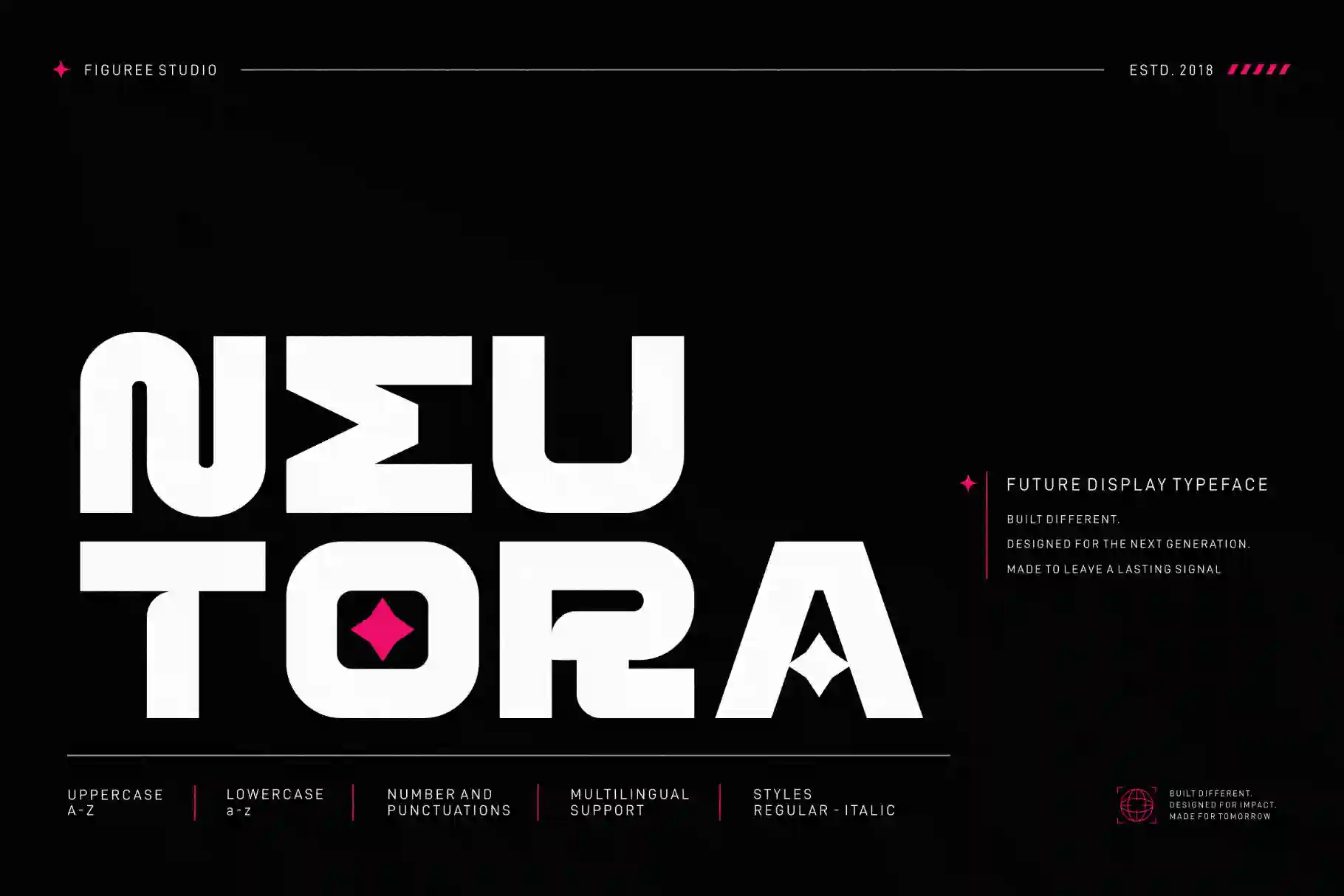
Kids Zone works well for playful children-focused designs, including kids’ activities, flyers, labels, logos, and quotes. Kidos Marker has a cute and playful look for fun, colorful student-facing designs. Neutora is a modern sans serif typeface suitable for headlines, logos, and clean design needs. Synthetix brings a futuristic techno feel that fits technology, AI, robotics, and STEM-related visuals.
Use display fonts for impact.
Use simpler fonts for reading.
Use contrast to guide attention.
That small decision can make your education content feel more professional and more comfortable to use.
Neutora – Bold Futuristic Font
Kids Zone – Layered Playful Font

Kidos Marker – Playful Display Font

Glops – Retro Brush Font

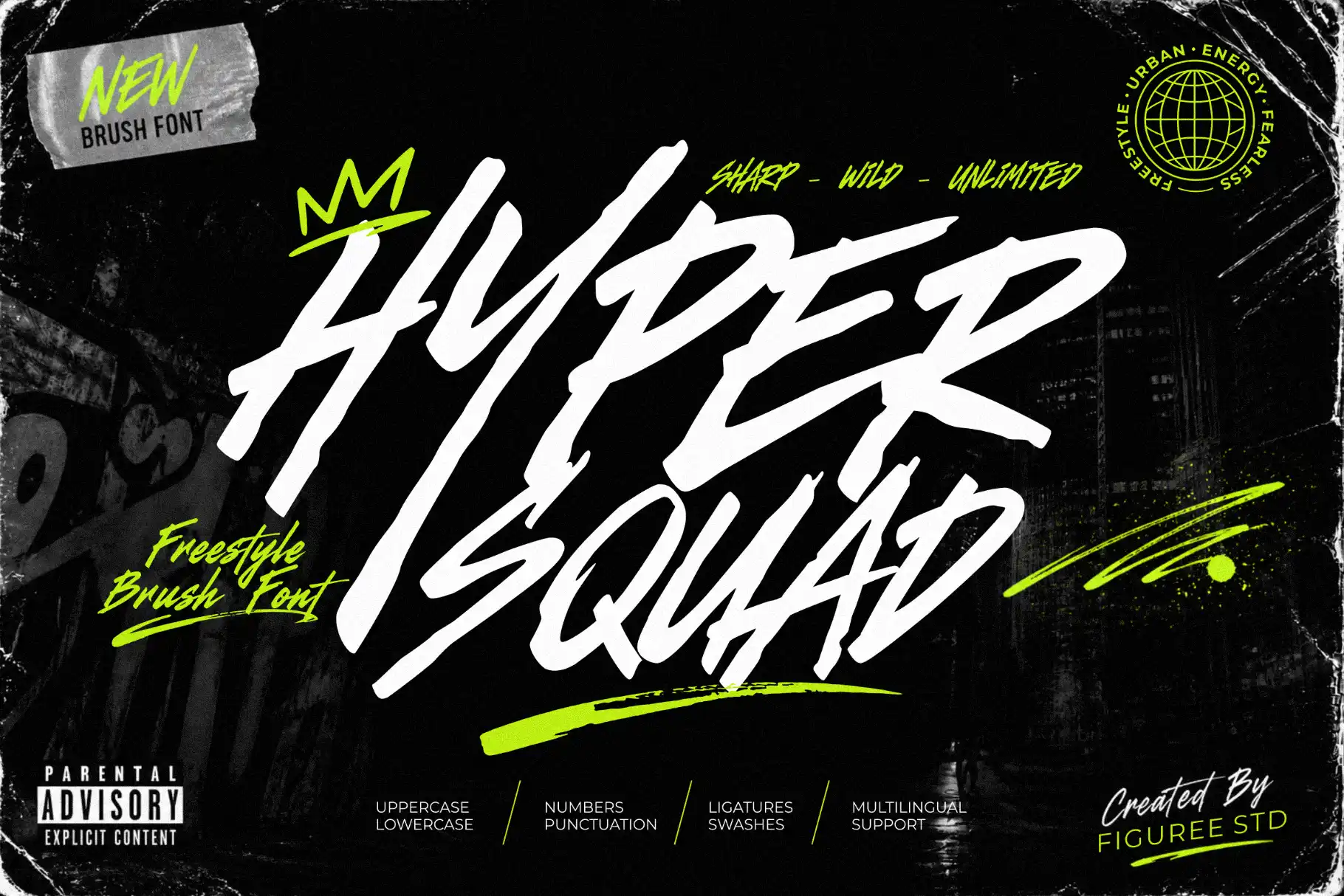
Hyper Squad – Freestyle Brush Font
Final Thoughts on Technology in Education
Technology in Education works best when it supports real learning.
The goal is not to use more apps. The goal is to help teachers teach better and help students understand with more confidence.
AI tutors can guide practice. LMS platforms can organize learning. Design tools can make ideas visual. Study apps can support memory. Collaboration platforms can make group work smoother.
But the teacher still matters.
Human guidance gives context, care, feedback, and judgment. The best Technology in Education tools simply make that work stronger.
Explore Figuree Studio fonts to create clearer classroom posters, modern learning slides, student worksheets, and digital education content with stronger typography.