The moment your words start selling (not stalling)
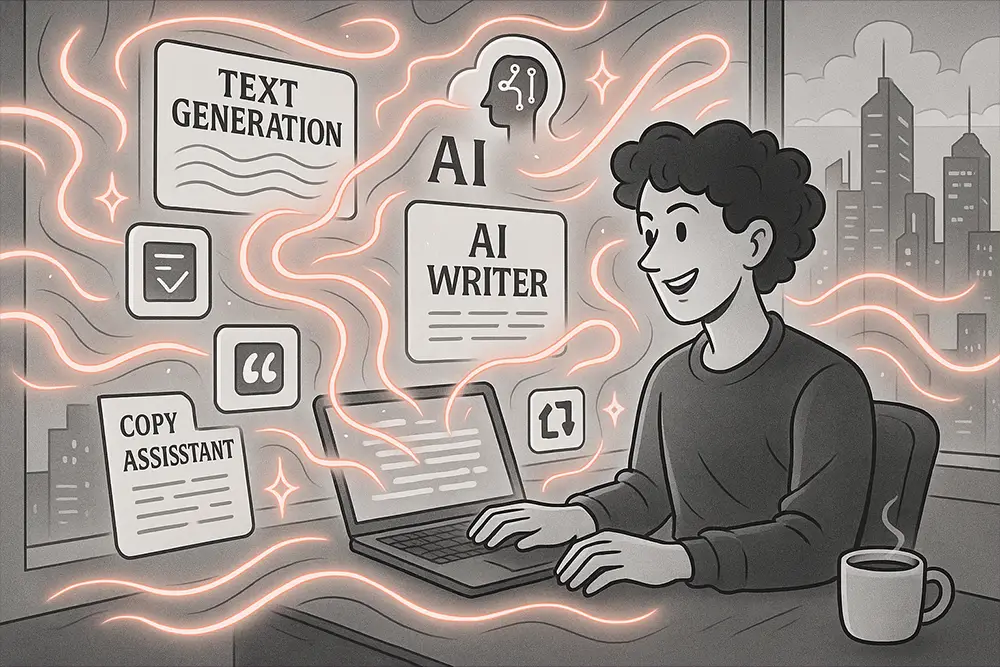
There’s a quiet panic every freelancer knows: a blinking cursor, a tight deadline, and a client expecting magic. AI Writing Tools won’t replace your taste or strategy—but they will unfreeze your ideas, speed-run drafts, and help you deliver with clarity. If you’re a creative freelancer, designer, or brand owner, mastering AI Writing Tools is how you turn hours into outcomes and ideas into invoices.
Table of Contents
- The moment your words start selling (not stalling)
- Why AI Writing Tools matter for creative freelancers
- The three AI Writing Tools you should master first
- Jasper: brand voice and long-form flow
- Copy.ai: fast marketing assets at scale
- Writesonic: SEO and multilingual reach
- The 4-step workflow to actually master AI Writing Tools
- 1) Brief like a strategist (not a typist)
- 2) Draft ugly, then reduce
- 3) Guard rails for voice and truth
- 4) Repurpose with intent
- Smart prompts that save hours
- Typeface power-ups for AI-era brands (Futuristic picks)
- SEO-savvy subheads that keep readers moving
- From Our Desk: what we’ve learned about AI Writing Tools
- External references to keep your copy clean and credible
- Empowering conclusion
Here’s the promise: when you pair your creative judgment with AI Writing Tools, you stop writing from scratch and start writing from structure. You’ll still choose the voice, the angle, and the truth. The tools just move the heavy bricks.
“Almost all good writing begins with terrible first efforts.” — Anne Lamott
AI simply gets you to that first draft faster—so you can do the real work: shaping, cutting, and sharpening.
Why AI Writing Tools matter for creative freelancers
Clients don’t pay for paragraphs; they pay for precision. Proposals that win. Ads that convert. Emails that sound like the brand (and not a bot). AI Writing Tools help you:
- turn messy notes into clean outlines;
- translate strategy into voice-consistent copy;
- maintain momentum across multiple projects without burning out.
Also Read:
- AI Tools That Help You Think Better: Boost Your Creative Workflow
- Proven AI Client Acquisition Hacks Every Freelancer Must Know
- 100 Monday Motivation Quotes That Instantly Boost Your Mood and Focus
The three AI Writing Tools you should master first
Jasper: brand voice and long-form flow
If you handle blogs, landing pages, and email sequences, Jasper shines for tone control and templates. Build a Brand Voice profile once, then reuse it to keep output consistent across pages and projects. Learn to feed Jasper facts + framing + friction: what’s true, what the page must achieve, and what the reader resists.
Use Jasper for: outlines, SEO-aware sections, and long-form drafts that still sound human. Start with your elevator pitch, then expand.
Copy.ai: fast marketing assets at scale
For social captions, product blurbs, and offer-driven copy, Copy.ai is your speed tool. Batch ideas quickly, then prune. The secret here is constraints: audience, promise, proof, and CTA. Feed those, and the tool can generate 20 options you wouldn’t have tried at 11 PM.
Use Copy.ai for: promo calendars, ad angles, and testing 5–7 hooks per campaign without losing time.
Writesonic: SEO and multilingual reach
Writesonic’s edge is search-aware drafting and easy repurposing. Great for briefs → blogs → snippets → newsletter blurbs. If your client base is regional or global, test multilingual drafts to check rhythm and idiom before hiring a translator.
Use Writesonic for: SEO blog scaffolds, meta tags, and repurposing one strong piece into five distribution-ready assets.
Also Read:
- Write Better AI Image Prompts That Actually Build Your Brand
- 10 Game-Changing AI Tools to Make Stunning Product Mockups
- From Burnout to Breakthrough: AI Admin Tools Freelancers Need Now
The 4-step workflow to actually master AI Writing Tools
1) Brief like a strategist (not a typist)
Before you touch the keyboard, define: audience, problem, desired action, must-include facts, and voice rules. Then prompt:
“You are a brand copywriter. Audience: eco-friendly DTC shoppers. Problem: skepticism about quality. Goal: add-to-cart. Voice: confident, warm, no hype. Include: recycled materials, 30-day guarantee.”
This structure helps AI Writing Tools produce shaped drafts—not generic fluff.
2) Draft ugly, then reduce
Ask for multiple directions: three headlines with distinct promises, two intros with different pacing, and one short punchline CTA. Combine. Cut. Compress. Your taste is the engine; AI is the accelerator.
3) Guard rails for voice and truth
Paste approved messaging pillars and a “No-Go List” (words the brand never uses). Keep a short fact sheet at the top of your doc to avoid hallucination. When in doubt, verify and rewrite.
4) Repurpose with intent
Turn a blog into a carousel, a newsletter, and three ads—but don’t copy-paste. Change angle, length, and promise per channel. AI Writing Tools excel at transformations when you specify audience + outcome each time.
Smart prompts that save hours
- The Clarity Pass: “Rewrite for a time-pressed decision maker. Keep the benefit in line 1, proof in line 2, CTA in line 3.”
- The Friction Fix: “List 5 objections a skeptical buyer has about [offer]. Pair each with a concise counter-point.”
- The Proof Layer: “Add one stat or case snippet per paragraph, plain English, no jargon.”
- The Format Flip: “Condense this 800-word blog into 7 slide captions. Each slide: hook + one proof.”
“If I had more time, I would have written a shorter letter.” — often attributed to Blaise Pascal
AI gives you that “extra time.” Use it to edit ruthlessly.
Typeface power-ups for AI-era brands (Futuristic picks)
Your words sell the idea; your typography sells the feeling. Pair your AI Writing Tools output with future-ready type to convey clarity, innovation, and momentum. Start with these five:
Synthetix – Futuristic Techno Font
Clean geometry with Regular, Italic, Light, and Light Italic—great for UI mockups, hero headlines, and product pages that need a forward tilt. Try it for case-study headers to telegraph precision.
Use it here: section titles, pricing grids, and feature badges.
Grab it at Figuree Studio: Synthetix

Robot Brain – Display Techno Font
Geometric structure with a digital edge—perfect for dashboards, landing pages, and bold hero statements. It screams “next-gen” without losing legibility.
Use it here: ad headlines, pitch deck covers, or motion-graphic supers.
Get it: Robot Brain

Exoflash – Futuristic Logo Font
Sleek angles built for logos and esports/tech branding. For AI tool landing pages, it delivers instant modern credibility.
Use it here: product logos, wordmarks, and section markers.
Check it out: Exoflash

Neon Strix – Futuristic Display Font
Regular, Italic, Outline, and Outline Italic—so you can create layered hierarchy with just one family.
Use it here: CTA strips, feature callouts, and hero overlays.
Preview: Neon Strix

Meta Futura – Futuristic Display Font
High-tech elegance for brands that want innovation and class. Think fintech, SaaS, and premium device launches.
Use it here: long-form blog headers, pull-quotes, and stat callouts.
Explore: Meta Futura

Licensing & deals: For campaigns with wide distribution, review our license options. We offer a special discount for Extended License, plus corporate coverage when your rollout scales. Want to test first? Browse our freebies and build your look, then upgrade when you’re ready.
SEO-savvy subheads that keep readers moving
- How to choose the best AI Writing Tools for your niche
Pick based on output type (blogs vs. ads), voice control, and collaboration. If SEO matters, ensure templates support meta, schema hints, and internal-link planning. - Prompts that protect brand voice
Keep a living “voice memo” in your prompt: traits, banned words, sentence length, and rhythm. Store proof points so AI Writing Tools can reference real claims. - Measure what matters: briefs, drafts, approvals
Use a simple scoreboard—brief quality, draft quality, time to approved copy. If the brief is weak, AI will hallucinate; if the brief is strong, AI will accelerate.
Also Read:
- Best Fonts for Logo Design: Make Your Brand Unforgettable
- Fonts and Imagery in Design: Your Ultimate Visual Storytelling Guide
- The Ultimate Guide to the Best Fonts for Packaging Design in 2025
From Our Desk: what we’ve learned about AI Writing Tools
When we treat AI like a junior writer, results are average. When we treat AI like a structured thinking partner, results jump. The turning point is always the brief. Strong inputs → strong drafts. And edits are where the money is made.
A few battle-tested truths:
- Specificity beats style prompts. “Voice: grounded, precise, one proof per claim” outperforms “make it engaging.”
- Objections sharpen copy. Ask the tool to attack your angle—then defend it with evidence.
- Great creative is subtraction. Your edge is what you cut, not what AI adds.
“The difference between the almost right word and the right word is really a large matter.” — Mark Twain
AI will get you almost right quickly. Your craft makes it right.
External references to keep your copy clean and credible
When you need product pages that sound polished (hold the buzzwords), pair your AI Writing Tools with a style guide request like: “Rewrite with fewer abstractions and no jargon.” If you’re drafting UX copy or marketing pages, study industry patterns from sites like WebDesignerDepot or 99designs, then instruct your tool: “Adopt this structural pattern, keep the brand’s voice.”
Official tools to explore: Jasper, Copy.ai, and Writesonic.
Empowering conclusion
You don’t need more time—you need a better engine. With the right AI Writing Tools, a tight brief, and future-ready typography, your proposals feel premium, your content ships faster, and your brand voice stops wobbling.
Don’t let messy workflows hold you back. Design with clarity, write with confidence, grow with momentum.
- Browse our full font catalog and find your futuristic look: Figuree Studio
- Subscribe to our newsletter for practical, creative prompts that actually work: Join here
- Start with freebies, then upgrade licenses as you scale: Download free fonts
- Need coverage for big campaigns? See our Extended and Corporate options: Licensing