
Drowning in Ideas? You’re Not Alone
If you’re a designer, freelancer, or content creator, your mind is a goldmine—and a battlefield. Ideas spark at 2AM, tasks pile up during meetings, and client notes get buried in random folders. The truth? Our brains weren’t built to remember everything—we were built to think.
Table of Contents
- Drowning in Ideas? You’re Not Alone
- What Is a Second Brain—and Why You Need One
- How to Build a Second Brain System That Actually Works
- Step 1: Choose Your Digital Tools Wisely
- Step 2: Use the PARA Method to Organize
- Step 3: Make Information Retrieval Effortless
- From Our Desk: What We’ve Learned About Second Brains
- Best Fonts for Your Second Brain Dashboard
- 🔤 Recommended Fonts:
- Avoid These Mistakes When Building Your Second Brain
- Final Thoughts: Give Your Mind the Freedom It Deserves
That’s why the “Second Brain” method is transforming the way creatives organize knowledge and unlock productivity. In this guide, we’ll show you exactly how to build a second brain system that actually works, especially if you’re juggling multiple creative projects.
Also Read: Designing a Life You Love: Creative Freelancer’s Roadmap
What Is a Second Brain—and Why You Need One
A Second Brain is a digital system that captures, organizes, and retrieves your thoughts, inspirations, and knowledge—so your real brain can focus on thinking, not remembering.
This method, popularized by Tiago Forte, isn’t about productivity hacks—it’s about creating clarity and creative freedom.
“Your mind is for having ideas, not holding them.” — David Allen
For creatives, a second brain becomes your personal assistant: it remembers client briefs, collects reference designs, stores course notes, and even reminds you what font combo you loved last year.
Also Read: The Perfect Morning Ritual to Unlock Creative Focus
How to Build a Second Brain System That Actually Works
Let’s break it down into clear, actionable phases—especially tailored for designers, writers, and digital makers.
Step 1: Choose Your Digital Tools Wisely
You don’t need 20 apps. You need one system.
- Notion: Best for all-in-one workspace (notes, database, task manager)
- Obsidian: Great for deep note-taking and backlinking ideas
- Evernote: Solid for quick capture and scanning
- Google Drive: For organizing large project assets
👉 Pro Tip: Don’t fall into the “tool trap.” Choose one platform and commit.
📌 Recommended Read from trusted source:
The Complete Beginner’s Guide to Notion by WebDesignerDepot – A great resource to get started with one of the most powerful second brain tools.
Also Read: Sell AI Art Like a Pro: Top 10 Proven Platforms
Step 2: Use the PARA Method to Organize
Tiago Forte’s PARA method is at the heart of every strong second brain:
- Projects – Current work with a deadline
- Areas – Ongoing responsibilities (e.g., personal brand, design practice)
- Resources – Notes, ideas, research
- Archives – Past stuff, closed projects
Designers can store client decks under “Projects,” brand assets under “Areas,” font inspirations under “Resources,” and old proposal files in “Archives.”
Also Read: Fonts That Make Your Digital Planners Look Stunning
Step 3: Make Information Retrieval Effortless
A Second Brain isn’t just a storage unit. It’s a retrieval machine. Here’s how to optimize it:
- Use tags like
#typography,#clientXYZ,#idea-bank - Link notes contextually (e.g., moodboard ↔ client brief)
- Use descriptive titles (“[2025] Rebrand Moodboard – Tech Startup”)
The goal? You find exactly what you need in under 10 seconds—even if you wrote it a year ago.
From Our Desk: What We’ve Learned About Second Brains
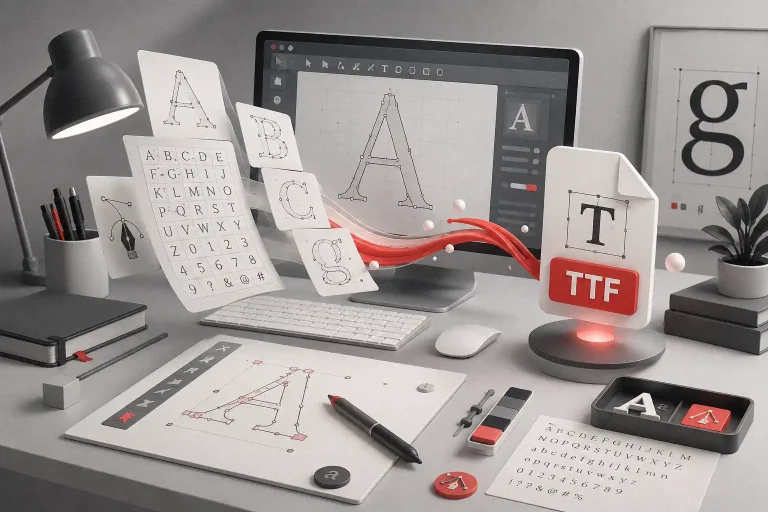
When our team at Figuree Studio began building a shared second brain, things changed fast. Our sketch-to-font workflow—previously scattered across folders, screenshots, and group chats—became crystal clear.
Here’s what worked for us:
- Procreate sketches are filed under each font’s dedicated project folder
- Client notes, type anatomy references, and feedback loops live in our Notion wiki
- Font inspiration is clipped into a “Reference Board” we can all access
And yes, we use our own fonts to label sections (gotta stay on brand).
“You can’t use up creativity. The more you use, the more you have.” — Maya Angelou
Best Fonts for Your Second Brain Dashboard
Want to make your second brain feel like a creative home? Start with fonts that energize and clarify.
🔤 Recommended Fonts:
- Bolde – Powerful Sans Serif: Clean, assertive headers for dashboard titles
- Ignazio – Modern Sans Serif: Sleek for subheadings or category labels
- Meta Futura – Futuristic Display Font: Great for visual thinkers, AI dashboards
- Quinoss – Modern Sport Font: Use for motivational sections and goals tracking
🎯 Grab our font catalog or explore our freebies
💼 Need a custom or corporate license? Contact us here


Avoid These Mistakes When Building Your Second Brain
Even smart creatives fall into these traps:
- Over-customizing dashboards — simplicity beats pretty
- Trying too many tools — pick one system and go deep
- Forgetting to review weekly — a second brain works best when it’s updated
Also Read: Unlock The Quiet Power of Consistency to Dominate Your Freelance Career
Final Thoughts: Give Your Mind the Freedom It Deserves
You don’t have to hold everything in your head. You were meant to create, explore, and evolve—not spend hours looking for that one client feedback screenshot from 3 months ago.
By learning how to build a second brain system that actually works, you’re reclaiming mental space, nurturing your creativity, and building resilience in a digital world.
Don’t let chaos stall your creative growth.
📦 Browse our font catalog
🎁 Download our freebies
💼 Get custom licensing