Creating high-quality videos doesn’t have to be complicated anymore. FlexClip is a web-based video editing platform that’s not only easy to use but also packed with advanced features—including a range of powerful AI tools. Whether you’re a beginner or a professional creator, FlexClip offers the flexibility and functionality to bring your ideas to life quickly and efficiently.
Table of Contents
- User Interface & Experience: Clean, Fast, and Frictionless
- AI Tools: Not Just a Buzzword, but a Real Timesaver
- 🎥 AI Video Generator
- 🗣️ Text-to-Speech
- 📝 AI Subtitle Generator
- 🖼️ AI Image Tools
- More Tools for All Types of Video Projects
- Who Is FlexClip For?
- Pros and Cons
- ✅ Pros:
- ❌ Cons:
- Personal Thoughts & Suggestions
- Conclusion
User Interface & Experience: Clean, Fast, and Frictionless
One of FlexClip’s most noticeable strengths is its clean and intuitive interface. Everything is well-organized, responsive, and designed to keep your focus on the creative process—not on figuring out how the platform works.
✅ Clear and responsive timeline
✅ Real-time preview with smooth editing
✅ Asset library always within reach
✅ Drag-and-drop simplicity, even for template-based videos
Even if you’re new to video editing, FlexClip makes it feel natural and familiar. For more experienced users, the straightforward layout means fewer clicks and faster production.
AI Tools: Not Just a Buzzword, but a Real Timesaver
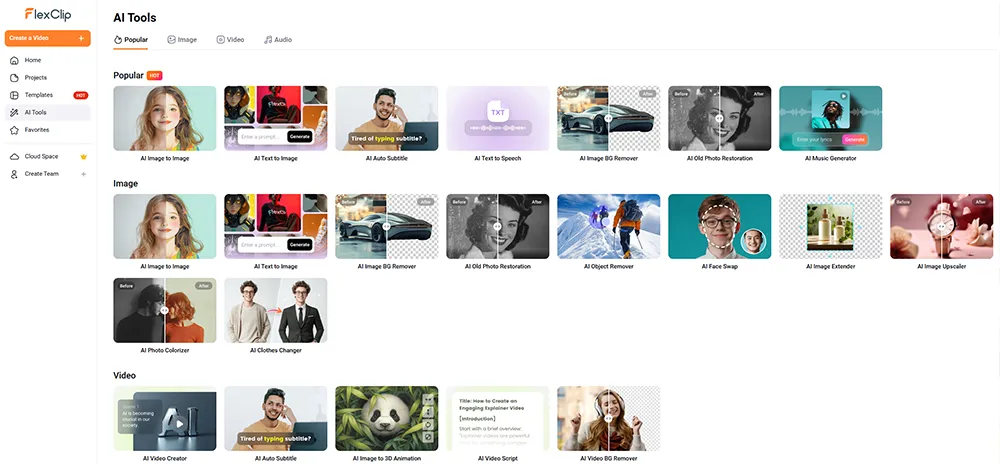
FlexClip doesn’t treat AI as a gimmick—it uses it to genuinely speed up your workflow and remove repetitive tasks.
🎥 AI Video Generator
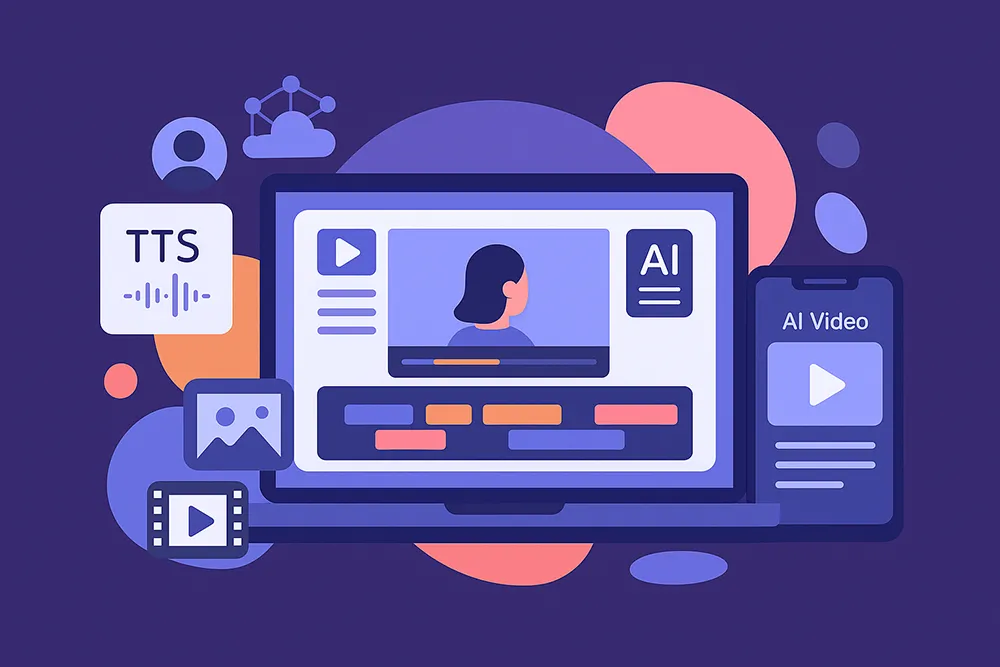
Turn a short script or even a URL into a ready-to-edit video. FlexClip will automatically generate scenes, insert relevant stock footage, apply transitions, and add background music. It’s like having a junior video editor that works instantly.
🗣️ Text-to-Speech
Don’t want to record your own voice? Just type your script, choose from a variety of AI-generated voices, and FlexClip will produce a realistic voiceover. You can even adjust speed and tone to fit your content style.
📝 AI Subtitle Generator
This tool automatically transcribes your audio into subtitles. Perfect for increasing accessibility and engagement, especially for content shared on social media where viewers often watch without sound.
🖼️ AI Image Tools
Beyond video, FlexClip offers powerful AI-driven image utilities like:
- Photo restoration (remove damage from old photos)
- Colorization (turn black-and-white images into color)
- AI upscaling (improve image resolution without losing quality)
- Face swap (for fun or creative promos)
These features come in handy for creating thumbnails, enhancing visuals, or adding creative flair to your projects.
More Tools for All Types of Video Projects
While the AI features steal the spotlight, FlexClip has a full suite of tools to support any video need:
- Screen recorder & green screen (chroma key)
- Video trimmer, merger, converter
- Audio cutter, editor, joiner
- Video collage, freeze frame, speed curve
- GIF maker, meme generator, slideshow creator
- YouTube intro and thumbnail maker
All these tools are web-based—no need to install anything.
Who Is FlexClip For?
- Beginners who want to create videos without a steep learning curve
- Intermediate creators familiar with web-based design tools
- Business owners producing promos, explainers, or tutorials
- Educators and marketers needing quick, polished content
- Even professionals looking for a reliable, fast alternative to traditional software for simpler tasks
Despite being beginner-friendly, FlexClip doesn’t hold back in offering robust tools that professionals will appreciate.
Pros and Cons
✅ Pros:
- Clean and intuitive interface
- AI tools that save real time
- Huge selection of templates
- Fully browser-based and mobile-accessible
- Suitable for both beginners and experienced users
❌ Cons:
- Full HD export and watermark-free videos require a paid plan
- Some AI voices still sound robotic, especially for non-English languages
- Template customization can be limited in certain layouts
Personal Thoughts & Suggestions
After testing several tools on FlexClip, I was genuinely impressed by how quickly I could go from concept to finished video. The AI video generator, TTS, and subtitle features are incredibly useful, and they worked better than I expected.
For quick projects like promos, slideshows, or content for YouTube Shorts or Instagram Reels, FlexClip is a solid choice. It may not replace full-fledged desktop software for complex video production, but it fills a very important gap: fast, high-quality video editing without the usual hassle.
If FlexClip continues to develop—especially in areas like multi-track editing, more granular template control, or custom transitions—I think it could become a serious contender even for more advanced users.
👉 Also read more design and creative insights at Figuree Studio
Conclusion
FlexClip is more than just another online video editor. It’s a well-designed, intelligent, and flexible platform that helps users—from beginners to professionals—create high-quality content in record time.
Whether you’re a content creator, a business owner, or someone just trying to share a message beautifully, FlexClip gives you all the tools you need, right in your browser.
🎬 Watch FlexClip in Action: